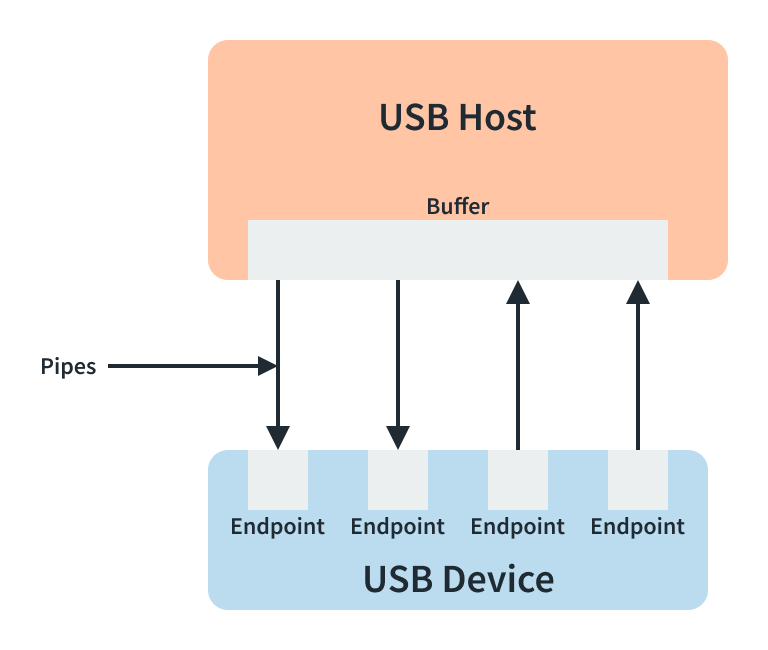





Win10 系统配置Windows 驱动开发环境
软件和开发包需求
Vs2019:https://visualstudio.microsoft.com/thank-you-downloading-visual-studio/?sku=Community&rel=16
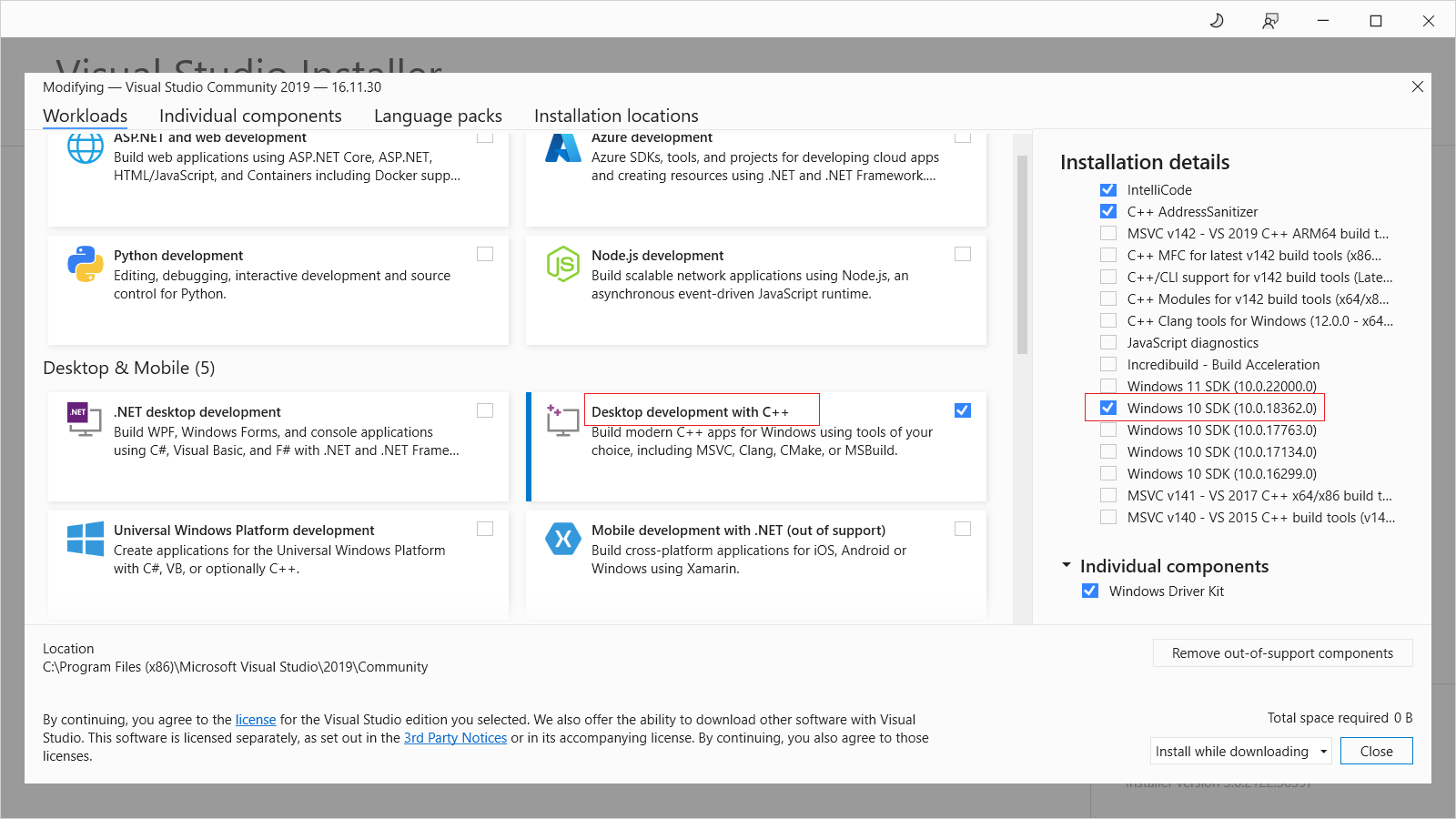
Desktop development with c++ and windows 10 sdk:
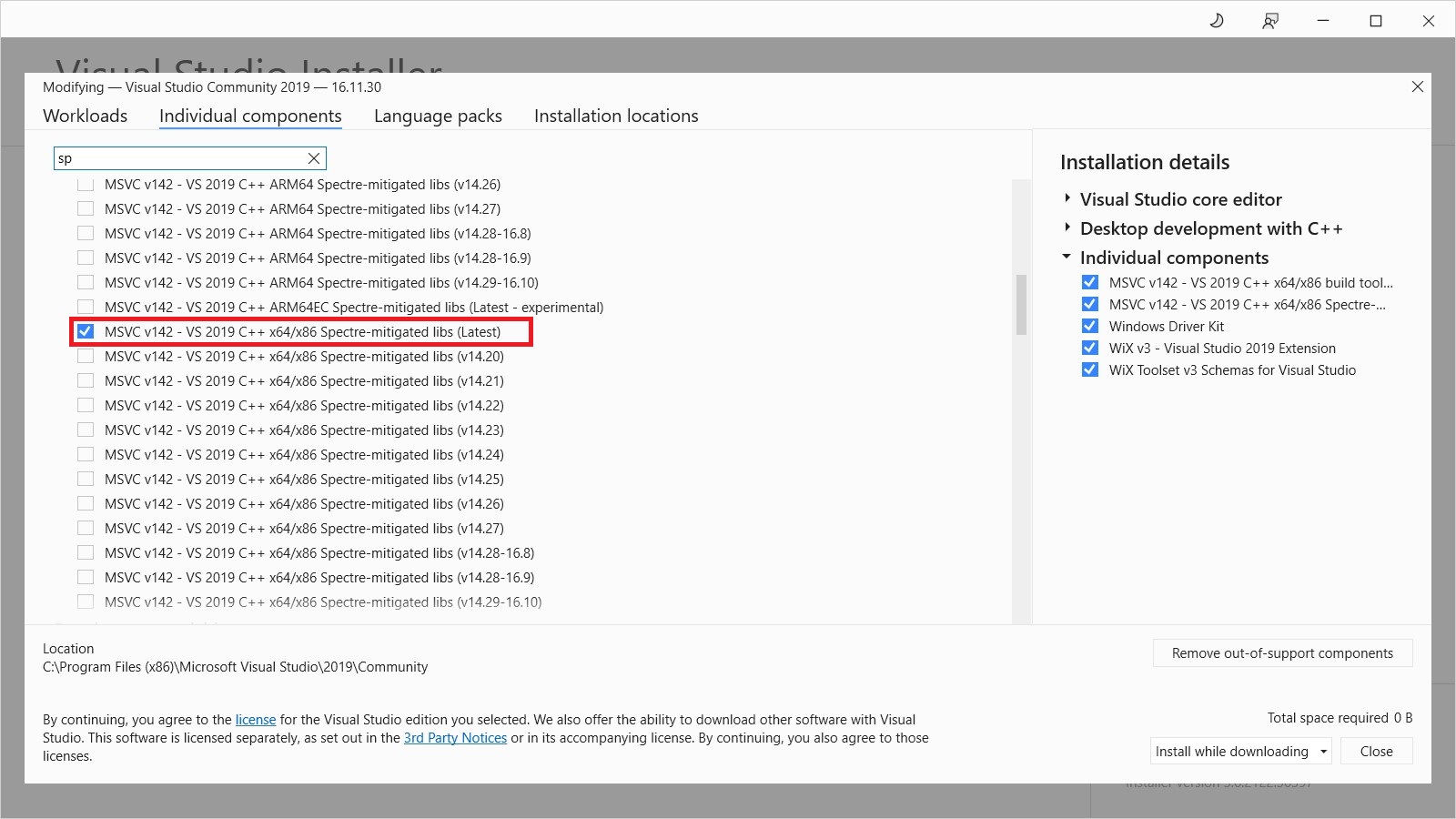
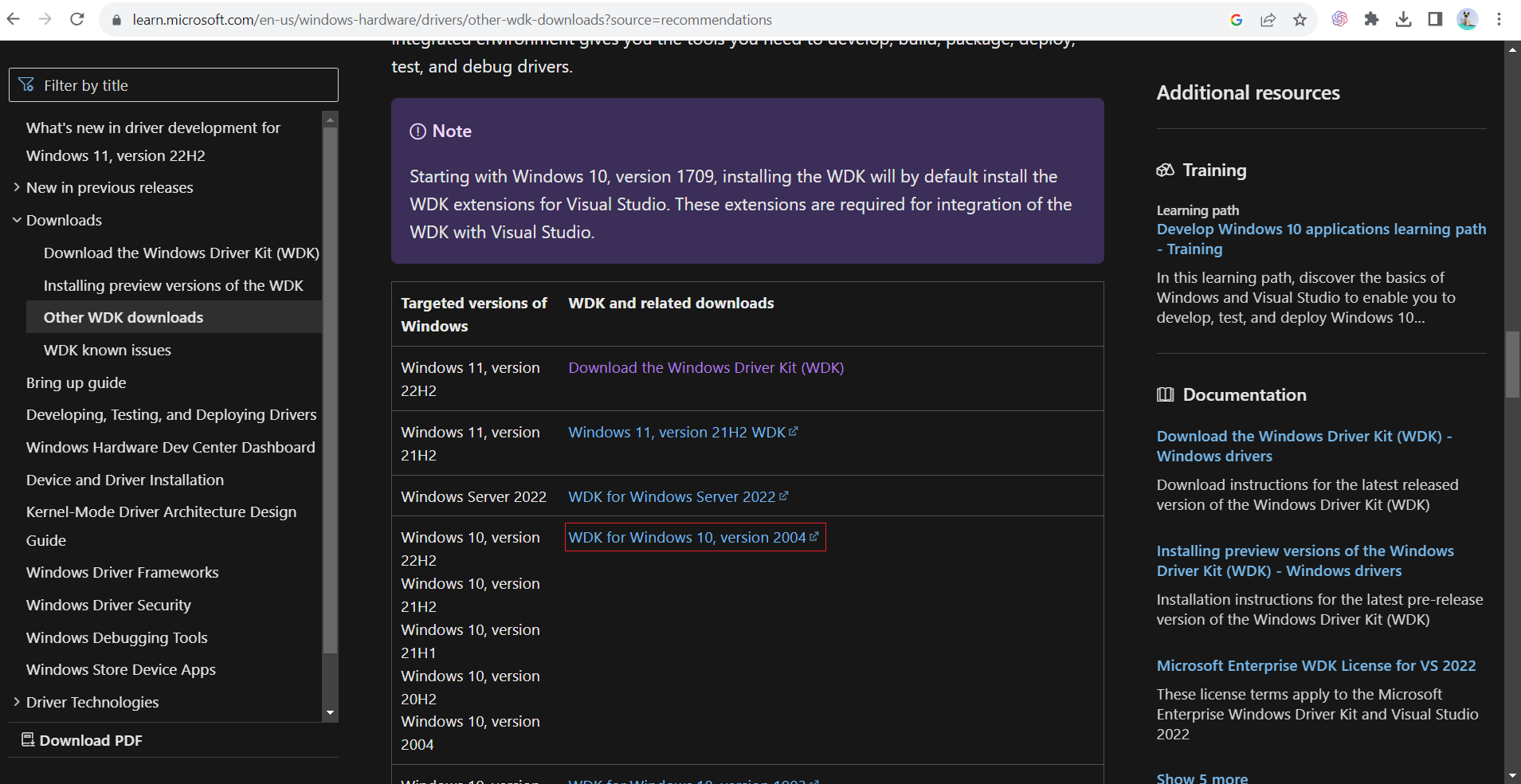
- WinDk(windows driver kit)for win10:https://learn.microsoft.com/en-us/windows-hardware/drivers/other-wdk-downloads
编译调试USBDK
- 使用vs2019直接打开SLN项目
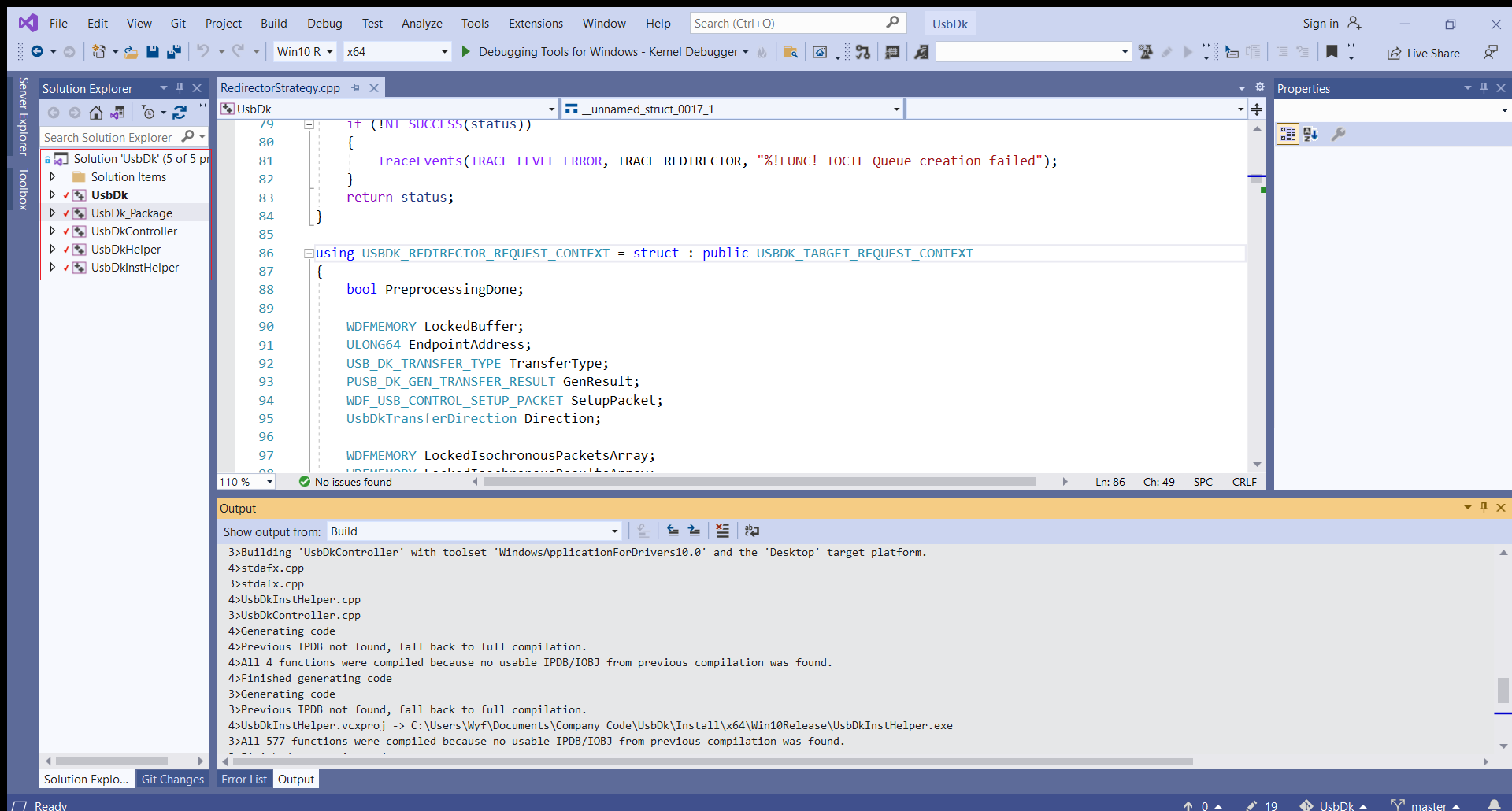
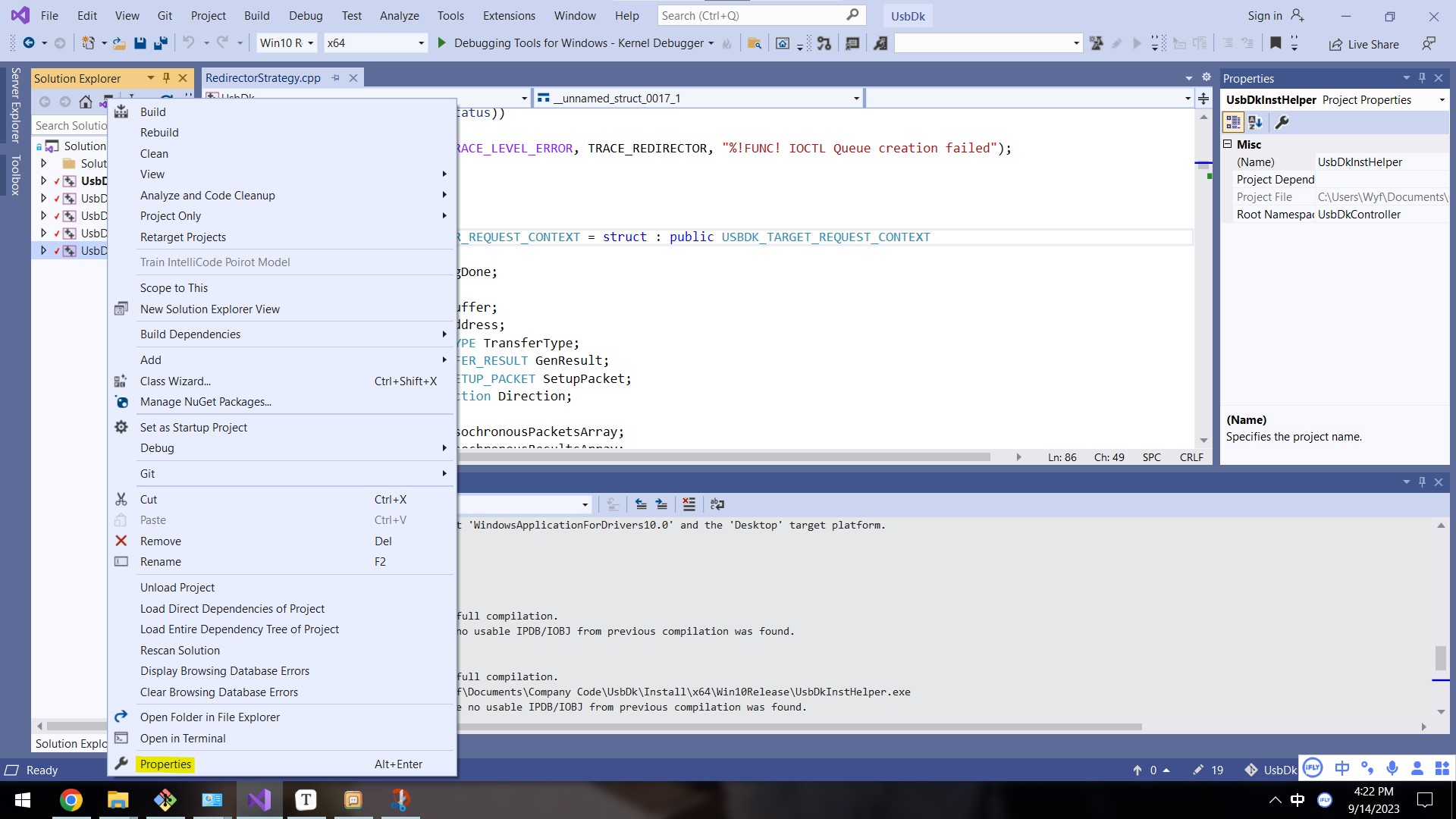
- 右键修改项目配置:
- 确保除了USbdk_package外的4个项目更改项目配置如下:
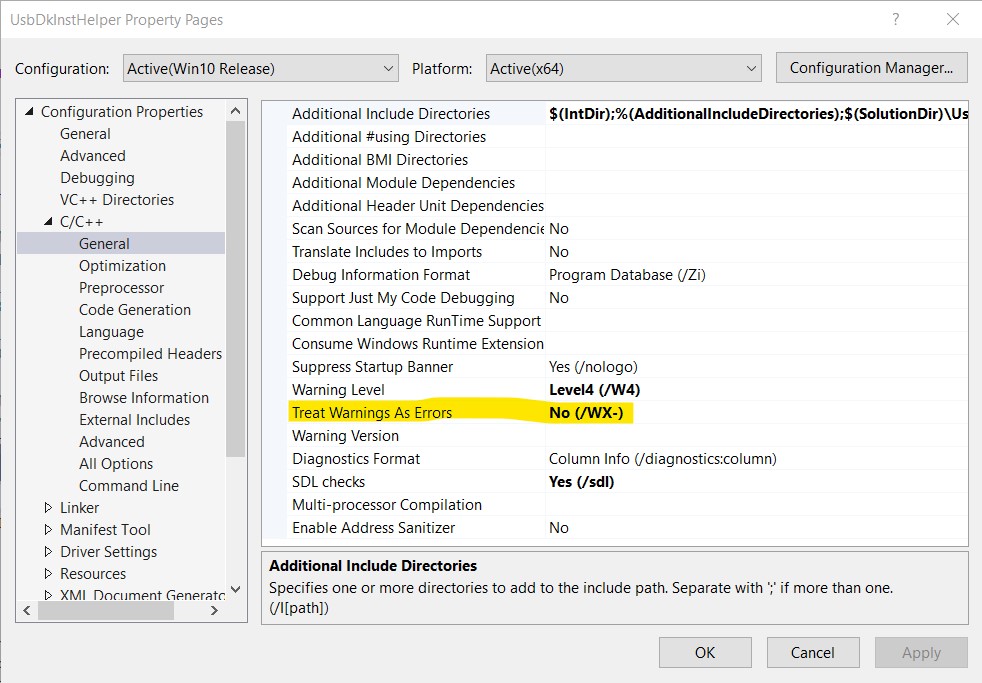
编译配置选择Win10Debug X64的版本,替换到原生的Usbdk安装目录下C:\Program Files\UsbDk Runtime Library
使用UsbDkController.exe进行新版本驱动的安装
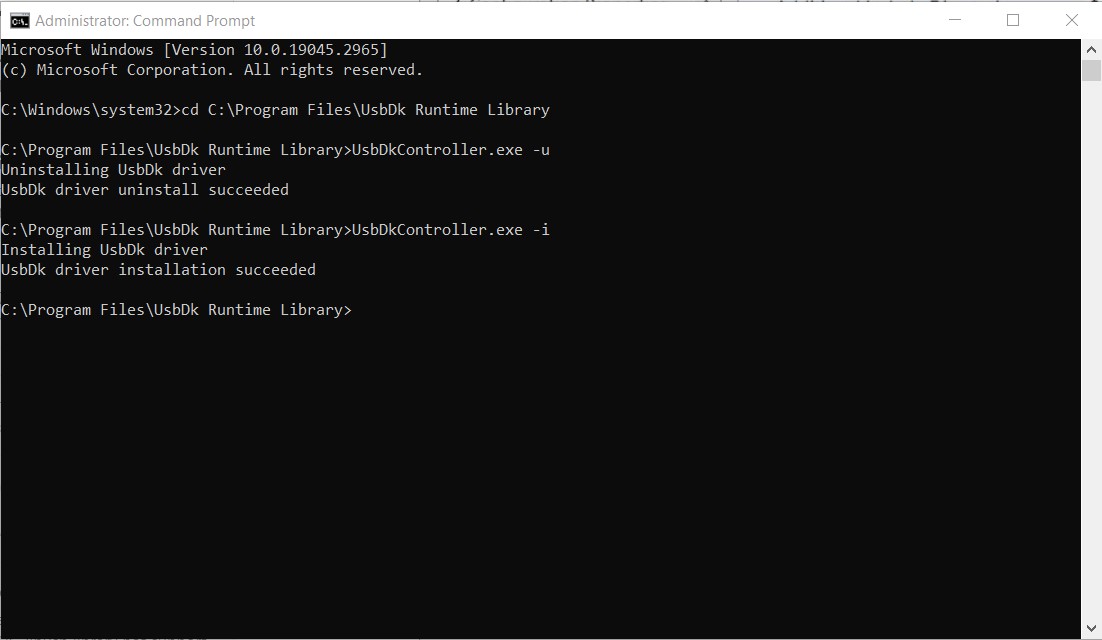
无需重启就可以直接用到新的驱动
驱动双机调试
双机调试是驱动开发的基本需求,对于只有一台电脑可以使用虚拟机配合软件达成双机调试功能:
需要用到软件:https://github.com/4d61726b/VirtualKD-Redux
推荐使用VMware Workstation 16的版本,搭建好虚拟机之后,根据系统位数安装目录target64或者target32下面的软件在虚拟机中。
在物理机中运行vmmon64.exe选择windbg打开即可。
在物理机vs中编译的debug版本的驱动在虚拟机安装并且代码设置了强制断点会在windbg中断点停止,并显示完整的代码内容,可以很清楚看到整个流程。
How Filter Driver Work - Take USBDK as an example
Windows driver develop basic
DriverEntry is the first routine called after a driver is loaded, and is responsible for initializing the driver.
DRIVER_INITIALIZE DriverEntry;

NTSTATUS DriverEntry(
    _In_ PDRIVER_OBJECT  DriverObject,
    _In_ PUNICODE_STRING RegistryPath
    )
{
    WDF_DRIVER_CONFIG config;
    NTSTATUS status;
    WDF_OBJECT_ATTRIBUTES attributes;

    //
    // Initialize WPP Tracing
    //
    WPP_INIT_TRACING( DriverObject, RegistryPath );

    TraceEvents(TRACE_LEVEL_INFORMATION, TRACE_DRIVER, "%!FUNC! Entry");

    //
    // Register a cleanup callback so that we can call WPP_CLEANUP when
    // the framework driver object is deleted during driver unload.
    //
    WDF_OBJECT_ATTRIBUTES_INIT(&attributes);
    attributes.EvtCleanupCallback = UsbDkEvtDriverContextCleanup;

    WDF_DRIVER_CONFIG_INIT(&config,
                           UsbDkEvtDeviceAdd);

    config.EvtDriverUnload = DriverUnload;

    CDriverParamsRegistryPath::CreateFrom(RegistryPath);

    WDFDRIVER Driver;
    status = WdfDriverCreate(DriverObject,
                             RegistryPath,
                             &attributes,
                             &config,
                             &Driver);

    if (!NT_SUCCESS(status)) {
        TraceEvents(TRACE_LEVEL_ERROR, TRACE_DRIVER, "WdfDriverCreate failed %!STATUS!", status);
        WPP_CLEANUP(DriverObject);
        return status;
    }

    if (!CUsbDkControlDevice::Allocate())
    {
        return STATUS_INSUFFICIENT_RESOURCES;
    }

    TraceEvents(TRACE_LEVEL_INFORMATION, TRACE_DRIVER, "%!FUNC! Exit");

    return STATUS_SUCCESS;
}
The DriverObject parameter supplies the DriverEntry routine with a pointer to the driver’s driver object, which is allocated by the I/O manager. The DriverEntry routine must fill in the driver object with entry points for the driver’s standard routines.
The DriverObject pointer gives the driver access to DriverObject->HardwareDatabase, which points to a counted Unicode string that specifies a path to the registry’s \Registry\Machine\Hardware tree.
The registry path string pointed to by RegistryPath is of the form \Registry\Machine\System\CurrentControlSet\Services\DriverName\. A driver can use this path to store driver-specific information; The DriverEntry routine should save a copy of the Unicode string, not the pointer, since the I/O manager frees the RegistryPath buffer after DriverEntry returns.
While it is possible to name this routine something other than DriverEntry, doing so is not recommended. The DDK-supplied build tools automatically inform the linker that the driver’s entry point is called DriverEntry, so giving the routine another name requires you to modify the build tools.
In DRIVER_INITIALIZE will register unload driver function and device add callback function.
EvtDriverDeviceAdd event callback function performs device initialization operations when the Plug and Play (PnP) manager reports the existence of a device.
EVT_WDF_DRIVER_DEVICE_ADD UsbDkEvtDeviceAdd;

NTSTATUS UsbDkEvtDeviceAdd(
    _In_    WDFDRIVER       Driver,
    _Inout_ PWDFDEVICE_INIT DeviceInit
    )
{
    PAGED_CODE();

    TraceEvents(TRACE_LEVEL_INFORMATION, TRACE_DRIVER, "%!FUNC! Entry");

    auto FilterDevice = new CUsbDkFilterDevice();
    if (FilterDevice == nullptr)
    {
        TraceEvents(TRACE_LEVEL_ERROR, TRACE_DRIVER, "%!FUNC! Failed to allocate filter device");
        return STATUS_INSUFFICIENT_RESOURCES;
    }

    auto status = FilterDevice->Create(DeviceInit);
    if (!NT_SUCCESS(status))
    {
        FilterDevice->Release();
        return status;
    }

    status = FilterDevice->AttachToStack(Driver);

    TraceEvents(TRACE_LEVEL_INFORMATION, TRACE_DRIVER, "%!FUNC! Exit %!STATUS!", status);

    return status;
}
Each framework-based driver that supports PnP devices must provide the EvtDriverDeviceAdd callback function. The driver must place the callback function’s address in its WDF_DRIVER_CONFIG structure before calling WdfDriverCreate.
The framework calls your driver’s EvtDriverDeviceAdd callback function after a bus driver detects a device that has a hardware identifier (ID) that matches a hardware ID that your driver supports. You specify the hardware IDs that your driver supports by providing an INF file, which the operating system uses to install drivers the first time that one of your devices is connected to the computer.